
Search My Stash
Search is the fastest way to answer “Do I already own this?” without scanning anything.
Search on the mobile app
- Open My Stash.
- Tap the search field.
- Type part of a name, maker, series, year, item number, condition, or box name.
- Open the matching ornament.
The result count updates as you type. Select Clear search if nothing matches.
Search on the website
- Open My Stash.
- Use the Search My Stash field.
- Type a name, maker, series, year, item number, condition, or box name.
- Select the row to open the ornament.
The table shows the maker, release, owned count, and storage box for each match.
What search looks at
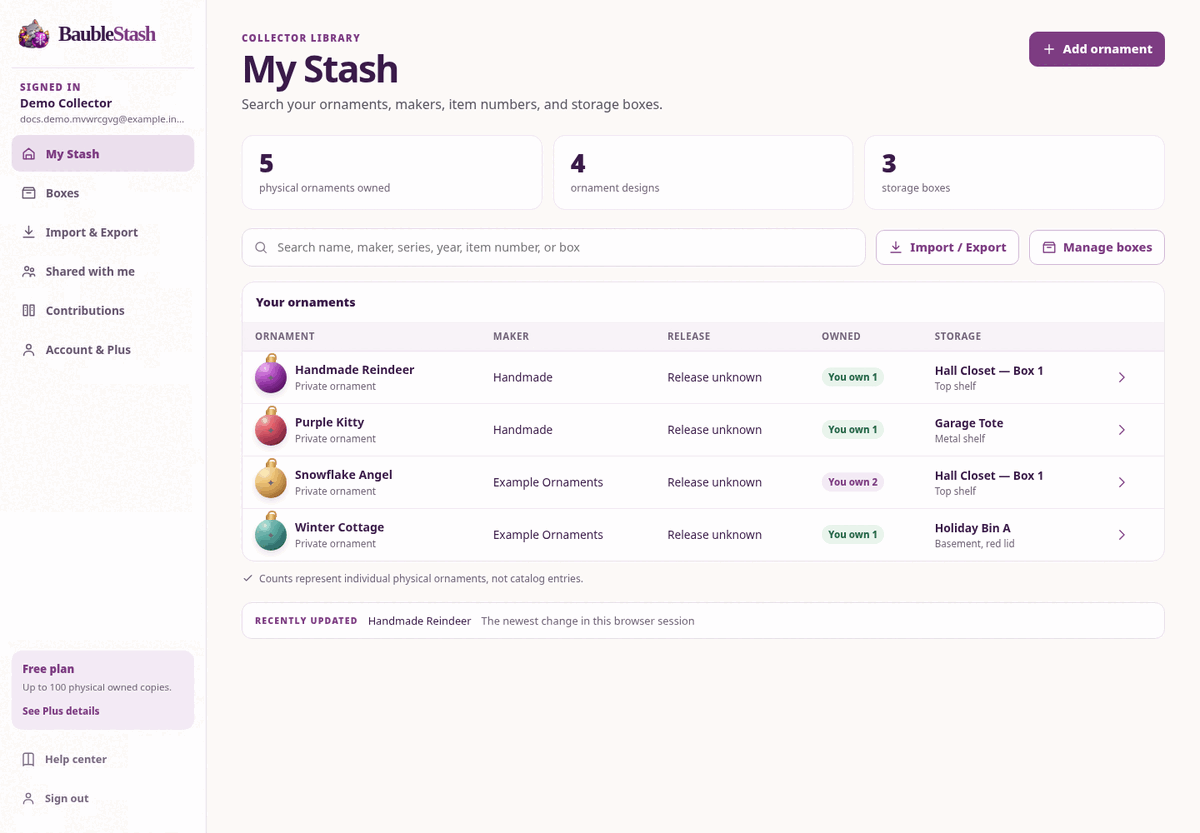
BaubleStash searches:
- Ornament name
- Manufacturer or maker
- Series or collection
- Year hint
- Manufacturer item number
- Edition or variant
- Release year, edition, and product number
- Condition
- Box name and location
Search is case-insensitive and matches partial words. A search for snow can find “Snowman,” “Snowflake Angel,” and “Snow Village.”
Useful search examples
| You remember… | Try searching… |
|---|---|
| The maker | Hallmark |
| Part of the name | angel |
| The item number | QDB2462 |
| The year | 2019 |
| The storage location | Hall closet |
| The box name | Box 3 |
| The condition | Mint |
If nothing matches
- Try a shorter word.
- Try the maker or item number instead of the full name.
- Clear the search and browse the list.
- Check whether the ornament is in a different account.
- If the ornament was never added, add it now.
Search only covers your accessible stash. It does not search another collector’s private inventory or the entire shared catalog.