
The web app
The website at baublestash.com is the larger-screen BaubleStash experience. It is useful for typing, organizing, printing labels, reviewing shared collections, and uploading Plus cloud photos.
The website is online-first. It does not work offline like the mobile app.
Sign in
Open baublestash.com/login and use the same email and password as the mobile app.
Librarians use the same sign-in. There is no separate admin website or password.
Main navigation
After signing in, the sidebar shows:
- My Stash
- Boxes
- Import & Export
- Shared with me
- Contributions
- Account & Plus
- Help
- Catalog review, only for Librarians
My Stash
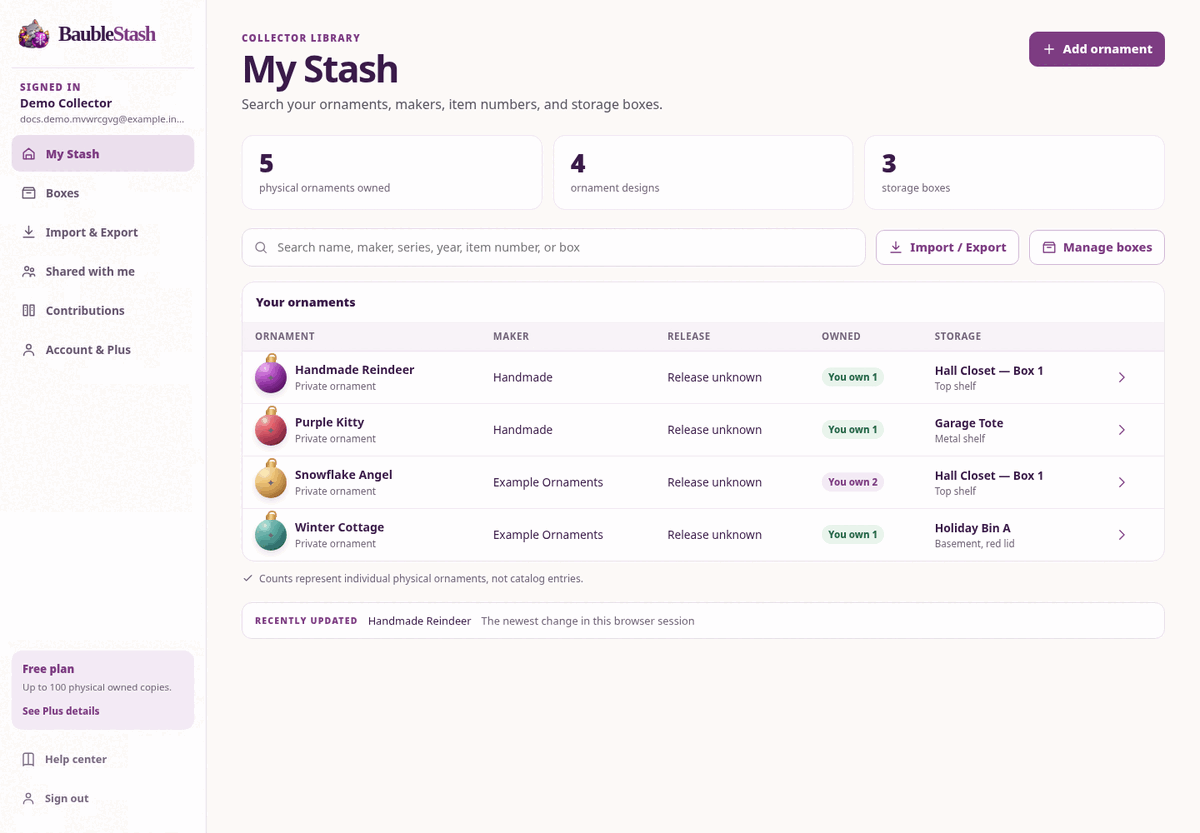
The website shows a searchable table of ornaments with:
- Ornament name
- Maker
- Release
- Owned count
- Storage box
Select Add ornament to create a private ornament and its first copy. The form includes name, maker, series, year, item number, edition, condition, box, and notes.
Select a row to open the ornament page.
Ornament page
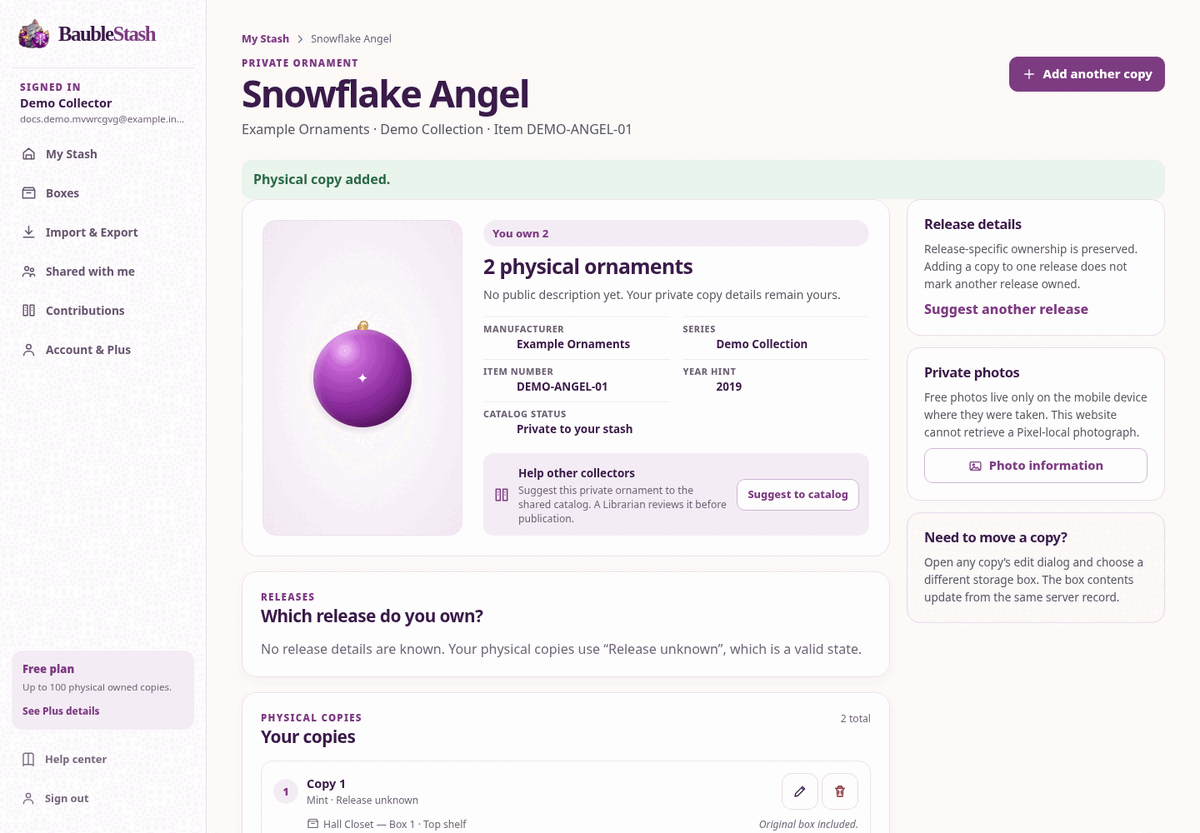
The ornament page shows:
- You own N
- Manufacturer, series, item number, and year hint
- Releases
- Your copies
- Cloud photo thumbnails
- Add another copy
- Suggest to catalog, Suggest correction, or Suggest release
On a copy, you can edit condition, notes, and box, or remove the copy. The website does not relink an existing copy to a different release; use the mobile app for that.
Boxes
The Boxes page lets you:
- Create and edit boxes
- Open box contents
- Assign existing copies to a box
- Download a printable QR label PDF
- See the box location and notes
The website is the intended place to print labels.
Import & Export
Use Import & Export to:
- Download a CSV template or filled example
- Preview and import many physical copies
- Review optional catalog suggestions from unmatched imports
- Export My Stash as a portable CSV
The preview is read-only. Nothing changes in My Stash until you confirm. See Import and export ornaments with CSV.
Photos
The website can upload and view Plus cloud photos only. It cannot read device-only Free photos.
If a copy has no cloud photo, the site explains that no cloud-backed photo is available.
Shared with me
The website lets you:
- Accept an invitation code
- Open a collection shared with you
- View shared cloud photos
- Add a copy if you have Can Edit
- Edit condition or notes if you have Can Edit
- Invite someone to your own My Stash if you have active Plus
- Change or revoke access
Contributions
The Contributions page shows your submission history and status:
- Pending Review
- Approved
- Rejected
Use the links on an ornament page to start a new suggestion or correction.
Account & Plus
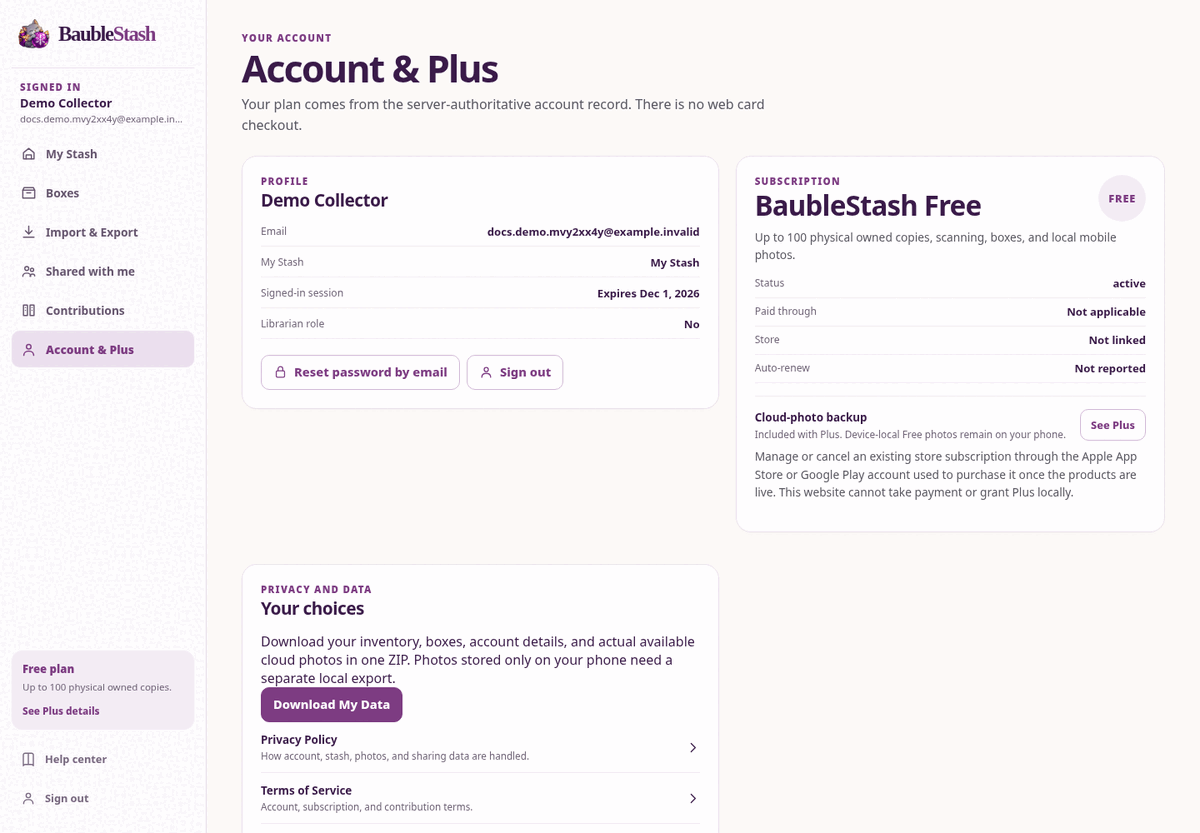
The Account page shows your profile, sign-in details, plan, paid-through date, store, auto-renew status, photo backup control, and links to privacy and help.
Where web payments are enabled, Account & Plus can start Stripe-hosted checkout and manage an existing web subscription in the billing portal. Mobile app store purchases are managed through the store account once those products are live.
What the website cannot do
- Scan a barcode with a camera
- Read Free photos stored only on your phone
- Print a label without downloading the PDF
- Work fully offline
- Delete your account
- Export your account data
Related guides
Export and deletion
Download My Data includes actual available private cloud photo files. On mobile, More → Account & data → Save or transfer local photos saves full available local images separately without Plus. Account deletion is deliberate and separate from Plus lapse; it does not cancel store billing. Backup, audit and necessary financial-record retention follow separate disclosed schedules that require hosted verification. See Export and account deletion for steps, exclusions and device limitations.